
 Kontakt
 Ako nakupovať

Doručenie
Nákupný poradca
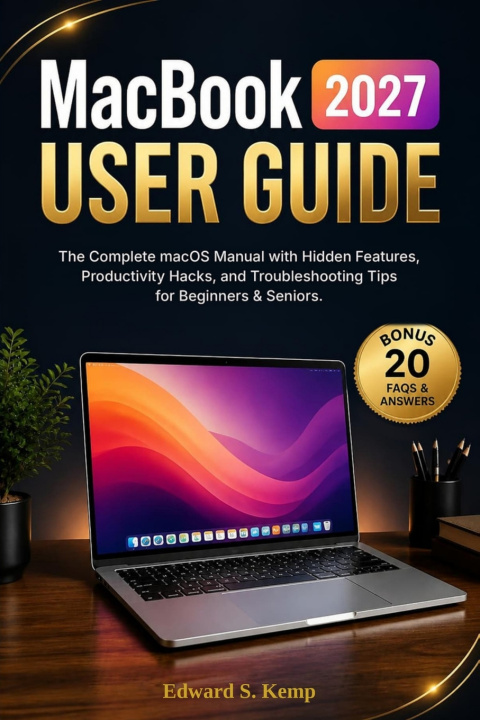
MacBook User Guide 2027
The Complete macOS Manual with Hidden Features, Productivity Hacks, and Troubleshooting Tips for Beginners & Seniors
 Angličtina
 38 b
 Pripravujeme
 Nové
Až 30 dní na vrátenie tovaru

You finally bought the MacBook. So why does it still fell like...
You've spent the money.
You've unboxed the beautiful machine.
But every time you sit down to use it, there's a quiet frustration you can't shake, menus you don't understand settings, you're afraid to touch, and features you know exist but can't seem to find.
You're not getting what you paid for. Not even close.
Here's what nobody tells new MacBook owners: the gap between owning a Mac and actually using a Mac costs you hours every single week. Hours lost to Googling basic questions. Hours wasted on manual tasks that your MacBook could automate. Hours spent staring at a spinning wheel because you never learned how memory and storage actually work. And the longer you wait to close that gap, the wider it gets, until your $1,500 machine becomes a $1,500 web browser.
This MacBook user guide 2027 was written to end that struggle once and for all. It's not a spec sheet. It's not a jargon-filled user manual written for engineers. It's a complete, plain-English macOS guide that meets you exactly where you are, whether you're a total beginner, a senior learning new technology, or a Windows switcher stepping into the Apple ecosystem for the first time - and walks you to genuine confidence, one chapter at a time.
Here's what you'll discover inside this pocket guide:
- Set up your MacBook from scratch with step-by-step guidance that explains why each decision matters, not just what to click
- Master every keyboard shortcut and trackpad gesture that power users rely on daily to work twice as fast
- Navigate macOS like a pro Finder, Spotlight, System Settings, and the Desktop features most owners never discover
- Connect confidently to Wi-Fi, Bluetooth, AirDrop, and VPN, and fix connectivity issues in under two minutes
- Understand RAM vs. storage and learn exactly how to free up space and keep your MacBook running fast for years
- Unlock hidden macOS features, Mission Control, Stage Manager, Split View, Shortcuts, and Automator workflows that eliminate repetitive tasks
- Troubleshoot any problem using a calm, systematic framework, from a MacBook that won't start to a frozen app to a failed internet connection
- Protect your health and your machine with ergonomic best practices, battery care, and responsible ownership habits
- BONUS: 20 Frequently Asked Questions & Answers about MacBook, the exact questions new owners ask most, answered clearly and completely
This isn't a book you'll read once and forget. It's the MacBook user guide you'll keep next to your laptop and reach for every time you think, There has to be a better way to do this. There is. And it's on the next page.
Scroll up and click Buy Now. Your MacBook is waiting for you to finally use it the way it was designed to be used.


Informácie o knihe
Angličtina

Darujte túto knihu ešte dnes
Je to jednoduché
1 Pridajte knihu do košíka a vyberte možnosť doručiť ako darček 2 Obratom Vám zašleme poukaz 3 Knihu zašleme na adresu obdarovanéhoAhoj! Som Libroamiko, tvoj knižný radca.
Ako ti môžem pomôcť?