
 Kontakt
 Ako nakupovať
Doručenie
Nákupný poradca
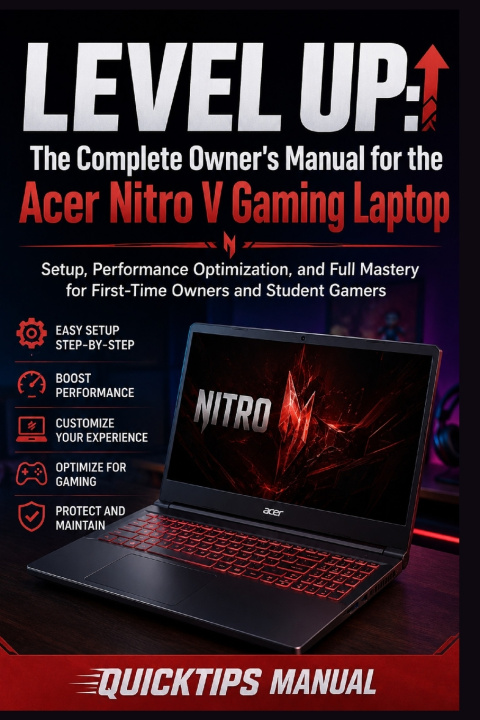
LEVEL UP
The Complete Owner's Manual for the Acer Nitro V Gaming Laptop: Setup, Performance Optimization, and Full Mastery for First-Time Owners and Student Gamers
 Angličtina
 36 b
36 b
 Nové
Nové
30 dní na vrátenie tovaru

You just unboxed your Acer Nitro V gaming laptop. The backlit keyboard is glowing. The 165Hz display is crisp and fast. The RTX 4050 is sitting inside ready to render worlds you have not visited yet.
And then you open a game and wonder why it does not look quite as smooth as you expected. The fans start screaming like a small aircraft. The battery dies in two hours during a lecture. You have no idea what NitroSense does, why your display might still be running at 60Hz, or how to make DLSS actually work.
Sound familiar? Good. Because every single one of those problems has a fix - and this book has all of them.
LEVEL UP is the complete owner's manual for the Acer Nitro V gaming laptop - the guide Acer should have put in the box but did not. Written specifically for first-time gaming laptop owners and student gamers, this manual takes you from unboxing to full mastery in plain English with zero assumptions about your technical background.
Inside you will learn how to set up Windows 11 correctly from day one - the decisions most people get wrong that silently limit performance for the entire life of the laptop. You will learn how to install your NVIDIA drivers properly, configure G-Sync, and verify that your display is actually running at 165Hz and not the 60Hz default Windows quietly sets it to. You will learn what DLSS really is, how Frame Generation works, and how to use NVIDIA's AI upscaling technology to gain thirty to fifty percent more frame rates in your favorite games without touching a single piece of hardware.
You will finally understand what NitroSense is and how to use it - how to switch performance modes, build a custom fan curve that keeps your laptop quiet during class and aggressive during gaming, monitor your CPU and GPU temperatures in real time, and protect your battery from the charging habits that kill it quietly over time.
This book goes where no other laptop manual goes. It covers the RAM upgrade that is the single most impactful thing you can do to your Nitro V - how to buy the right DDR5 stick, open the bottom panel without fear, install it correctly, and activate dual-channel mode in the BIOS. It covers the empty SSD slot sitting inside your laptop right now, waiting for a second drive that could give you a terabyte or two of extra space for all those games that eat storage like it is free.
Inside this manual you will find:
- Complete port and feature tour - every button, switch, and connection explained
- Windows 11 first-boot setup guide with the six critical steps most users skip
- NVIDIA driver installation, G-Sync setup, and 165Hz display verification
- DLSS Quality Modes, Frame Generation, and NVIDIA Reflex fully explained
- In-game graphics settings guide - what to max, what to reduce, and why
- NitroSense deep-dive - performance modes, fan curves, temperature monitoring
- RAM and SSD upgrade guide with step-by-step installation instructions
- Battery management strategies for all-day classroom endurance
- Wi-Fi 6 optimization, wired gaming setup, and peripheral recommendations
- NVIDIA Broadcast tutorial - AI noise removal, background blur, and eye contact
Whether you bought this laptop for gaming, for university, or for both - this manual gives you the knowledge to get every last frame, every extra hour of battery, and every feature out of the machine you invested in.
Your laptop is capable of more than you know. Now so are you.


Informácie o knihe
Angličtina
