
 Kontakt
 Ako nakupovať
Doručenie
Nákupný poradca
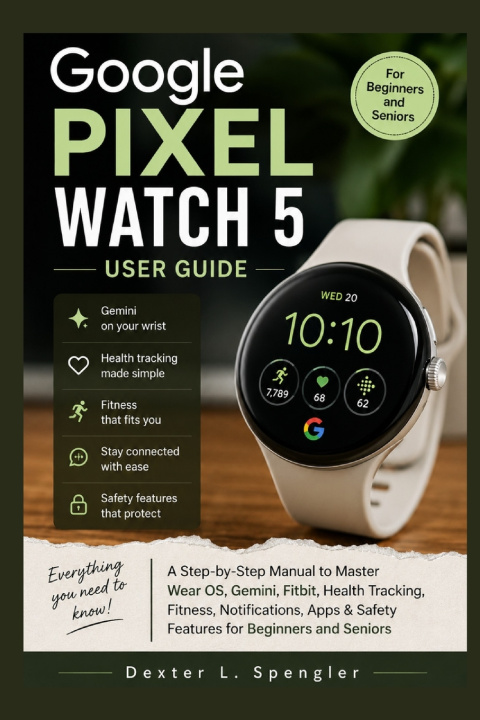
GOOGLE PIXEL WATCH 5 USER GUIDE
A Step-by-Step Manual to Master Wear OS, Gemini, Fitbit, Health Tracking, Fitness, Notifications, Apps & Safety Features for Beginners and Seniors
 Angličtina
 37 b
37 b
 Pripravujeme
 Nové
Nové
Až 30 dní na vrátenie tovaru

Your Google Pixel Watch 5 is more than a stylish smartwatch; it is designed to help you stay connected, organized, active, informed, and supported throughout your day. But with so many features and settings to explore, knowing where to start can feel overwhelming.
Google Pixel Watch 5 User Guide is designed to make the learning process simple. Whether you're setting up your watch for the first time or looking to discover features you haven't used yet, this practical guide provides clear, step-by-step instructions to help you get comfortable with your watch and make the most of its capabilities.
From the bright 3,000-nit Actua 360 display and improved battery performance to Gemini intelligence, Google Health Coach, Health Guardian features, improved GPS tracking, enhanced sleep tools, customizable watch faces, and safety capabilities, there is plenty to discover. But knowing that these features exist is one thing. Knowing how to use them confidently is another.
Inside This Guide, You'll Discover How To:
- Set up your Pixel Watch 5 and connect it to a compatible Android phone
- Transfer your watch to a new device and manage essential settings
- Customize watch faces, backgrounds, complications, photos, tiles, sound, brightness, and display settings
- Install, update, and manage apps through Google Play
- Use Gemini from your wrist, including Raise to Talk, voice commands, shortcuts, and proactive assistance
- Explore Google Health Coach and create personalized strength workouts
- Track workouts, activity, heart rate, sleep, pace, laps, and other useful statistics
- Take advantage of improved GPS tracking and recovery recommendations
- Explore Health Guardian capabilities and available health-monitoring features
- Use Smart Wake and enhanced sleep-tracking tools
- Configure Emergency SOS, Fall Detection, Car Crash Detection, Emergency Sharing, and Safety Check
- Make and receive phone calls and send SMS messages from your watch
- Use Smart Replies for convenient responses
- Record audio and synchronize recordings with your phone
- Play and download music using supported apps
- Sync alarms between your phone and watch
- Control your watch using convenient double-pinch and wrist-turn gestures
- Check weather conditions, forecasts, alerts, UV information, and lots more
Get your copy of the Google Pixel Watch 5 User Guide and start making the most of your smartwatch from your wrist.


Informácie o knihe
Angličtina

Darujte túto knihu ešte dnes
Je to jednoduché
1 Pridajte knihu do košíka a vyberte možnosť doručiť ako darček 2 Obratom Vám zašleme poukaz 3 Knihu zašleme na adresu obdarovanéhoAhoj! Som Libroamiko, tvoj knižný radca.
Ako ti môžem pomôcť?