
 Kontakt
 Ako nakupovať
Doručenie
Nákupný poradca
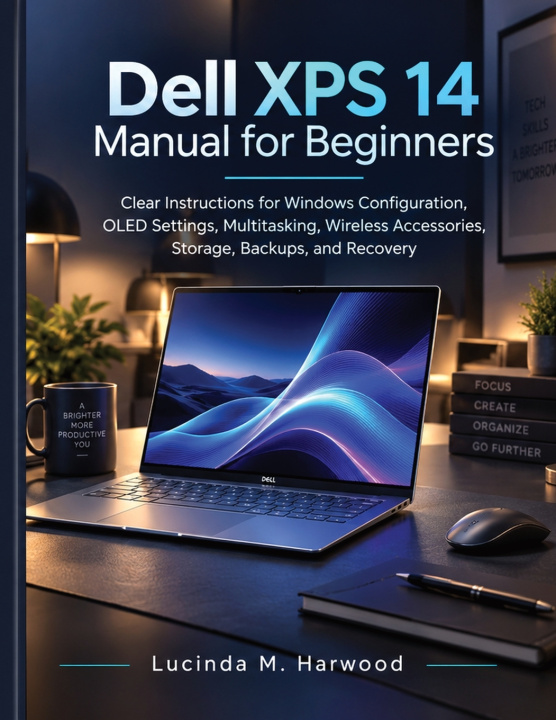
Dell XPS 14 Manual for Beginners
Clear Instructions for Windows Configuration, OLED Settings, Multitasking, Wireless Accessories, Storage, Backups, and Recovery
 Angličtina
 44 b
44 b
 Nové
Nové
Až 30 dní na vrátenie tovaru

Put the XPS 14's screen to work, then take care of what you create.
When a document, a browser, and a folder are open together, the way you arrange the screen matters. So does knowing where your work is saved and how you will protect it. Getting comfortable with a new laptop involves these practical details as much as learning the names of its features.
Dell XPS 14 Manual for Beginners helps you connect those details. It brings together Windows configuration, OLED settings, multitasking, wireless accessories, storage, backups, and recovery, with clear instructions aimed at readers who are still learning their way around the computer.
Use the manual to build a working environment that makes sense to you. Start with the configuration topics, then follow the guidance that supports the activity you want to carry out. The purpose is to help you recognize the relevant controls and understand what you are trying to achieve before changing a setting.
Inside, the practical focus includes:
Windows configuration: Become familiar with the settings that shape everyday use. Give attention to your starting arrangement, learn where relevant options belong, and make the laptop easier to navigate as you develop your own routine.
OLED settings: Explore the display controls relevant to an OLED-equipped XPS 14. Bring screen settings into your daily setup and consider how the display suits the work in front of you. OLED-specific guidance applies to models fitted with an OLED panel.
Multitasking: Learn about managing applications and arranging your working space when a task involves more than one window. Make it easier to refer to information, return to the right application, and keep track of what you are doing.
Wireless accessories: Work through connecting compatible equipment and understanding the settings involved. Use the guidance when bringing an accessory into your setup or revisiting a connection that needs attention.
Storage: Develop a clearer understanding of where your files live and how available space affects your choices. Approach your growing collection of documents and other files with more attention to organization and the space they occupy.
Backups and recovery: Learn about protecting copies of your work and understanding the options available when normal use is interrupted. Consider preparation while the laptop is working, then revisit the recovery guidance if a problem arises.
A useful beginner's reference should help you make connections between tasks. The window arrangement you choose affects how you work with files. An accessory can change how you use the laptop at a desk. Storage decisions belong alongside a plan for backing up the work you want to keep. Reading these subjects together helps you see the practical reasons behind the settings.
You can use the book during your first configuration or return to one subject as a need appears. Keep it beside the laptop while you practise, work through a manageable task, and come back for a reminder when necessary. There is value in understanding one useful action thoroughly before moving on to the next.
For anyone new to the XPS 14, this manual offers a focused way to become more capable with the computer already in front of them. Follow the subjects that matter to your own activities, from organizing an active desktop to preparing for a recovery decision.
Order your copy and start using your XPS 14 with a clearer workspace and a deliberate plan for protecting your files.


Informácie o knihe
Angličtina

Darujte túto knihu ešte dnes
Je to jednoduché
1 Pridajte knihu do košíka a vyberte možnosť doručiť ako darček 2 Obratom Vám zašleme poukaz 3 Knihu zašleme na adresu obdarovanéhoAhoj! Som Libroamiko, tvoj knižný radca.
Ako ti môžem pomôcť?